
Email OTP Authenticator
For Login, Registration, 2FA with Email & Session Verification
About The Plugin
Email OTP Authenticator is a lightweight OTP-based authentication plugin for WordPress, designed to deliver OTPs via email for passwordless login and quick registration, along with useful features such as 2FA, Email Verification, and Session Timeout. These features can be configured to suit your needs.
Main Features
- OTP Login
- OTP Registration
- Email Verification
- Session Verification
- Two-Step Verification
Zero Dependency
- Lightweight architecture
- No external APIs required
- Self-hosted OTP validation
- Pure Vanilla JS Framework
- Self - contained operations
Admin Friendly
- Templates for Design
- Presets for Beginners
- Basic Mode for Skilled
- Advanced for the Experts
- Snippets for the Developers
Smart Workflow
- Multi-tasking Forms
- Total UI Customization
- Supports Multiple Forms
- Smart Bypass Protection
- Manage Guest Permissions
Lightweight By Design
Optimized for performance with a lightweight footprint.
Built to stay lightweight.
Although the complete package includes templates, images and supporting resources for setup and compatibility, the actual authentication runtime remains compact.
- Frontend Browser Load: ~68 KB
- Templates & visual assets: ~2.1 MB
- Distribution package (zipped): ~2.3 MB
- Distribution package (unzipped): ~3.6 MB
Only required components are loaded during use.
No external APIs, frameworks or unnecessary scripts.
Plugin runtime execution is highly optimized and fast.
However, overall performance also depends on external factors.

Why choose Email OTP Authenticator
Designed to deliver a faster, smarter and more secure environment for websites from beginner to enterprise level.

Hassle-free Integration
Flexible integration options let you add inline & popup forms to pages, posts or menus smartly. Designed for quick deployment so you can enable OTP security without technical effort.

Built-in Templates
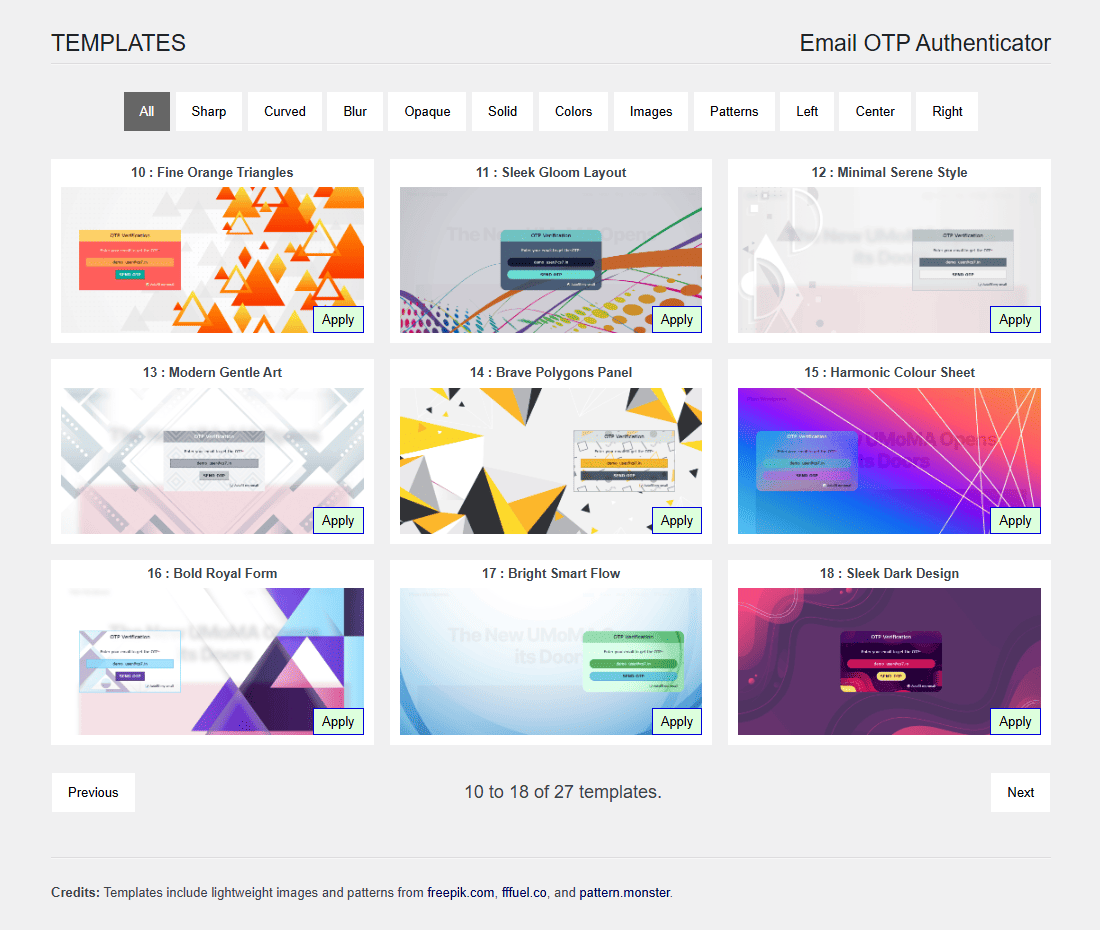
Attractive 27 ready-to-use templates with popup and inline support. Easy-to-apply modern designs that match your website style while enhancing both security and user experience.

Complete Admin Control
Customize authentication behavior, layout options, security restrictions & verification rules with ease. Admins have full control over how users access and interact with your website.
Trusted by 150+ websites across 25+ countries for over 2 years.
Serving early-stage startups to leading organizations and financial platforms.
Features
Check out the smart and powerful features built for security and ease of use.

Security & Verification
- OTP send limits
- OTP expiry control
- Wrong attempt limits
- Email blocking
- Session timeout
- Activity & Event Logs
- Verify users without login
- Verify visitors without signup

Interface & Administration
- 27 in-built templates
- Popup and inline forms
- Auto-popup with UI lock
- Template customization
- Supports multiple forms
- Beginner to expert controls

Integration
- Use OTP Forms via Menu
- Use OTP Forms via Shortcode
- Works smoothly on pages and posts
- Support multiple forms on the same page
- Supports different actions for different forms

Compatibility
- Capable of standalone operations
- Also compatible with :
- WooCommerce
- MemberPress
- Ultimate Member
- BuddyPress
- ProfileGrid
- Forminator
- many user management plugins
Changelog
The plugin is actively maintained with regular updates, security improvements, and new features.
You can review the complete version history and improvements in the changelog.
Gallery
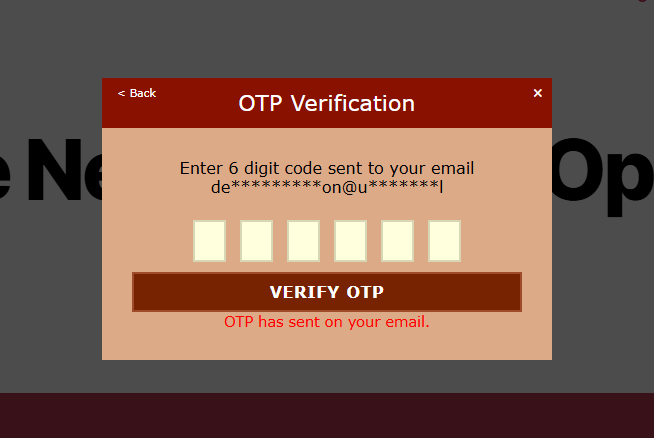
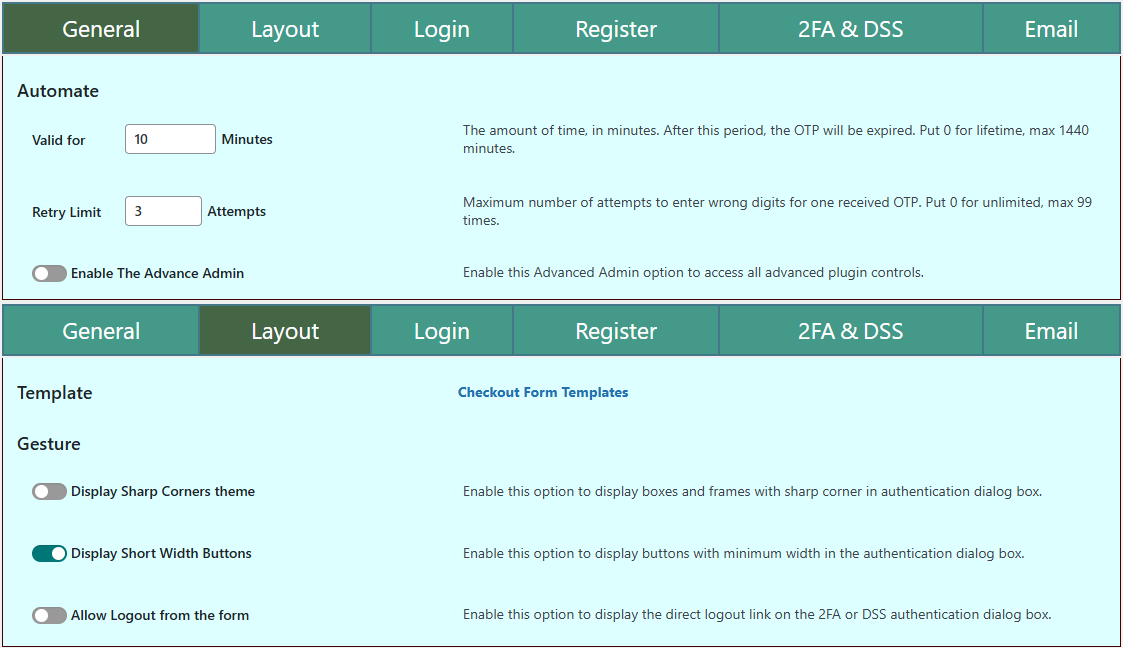
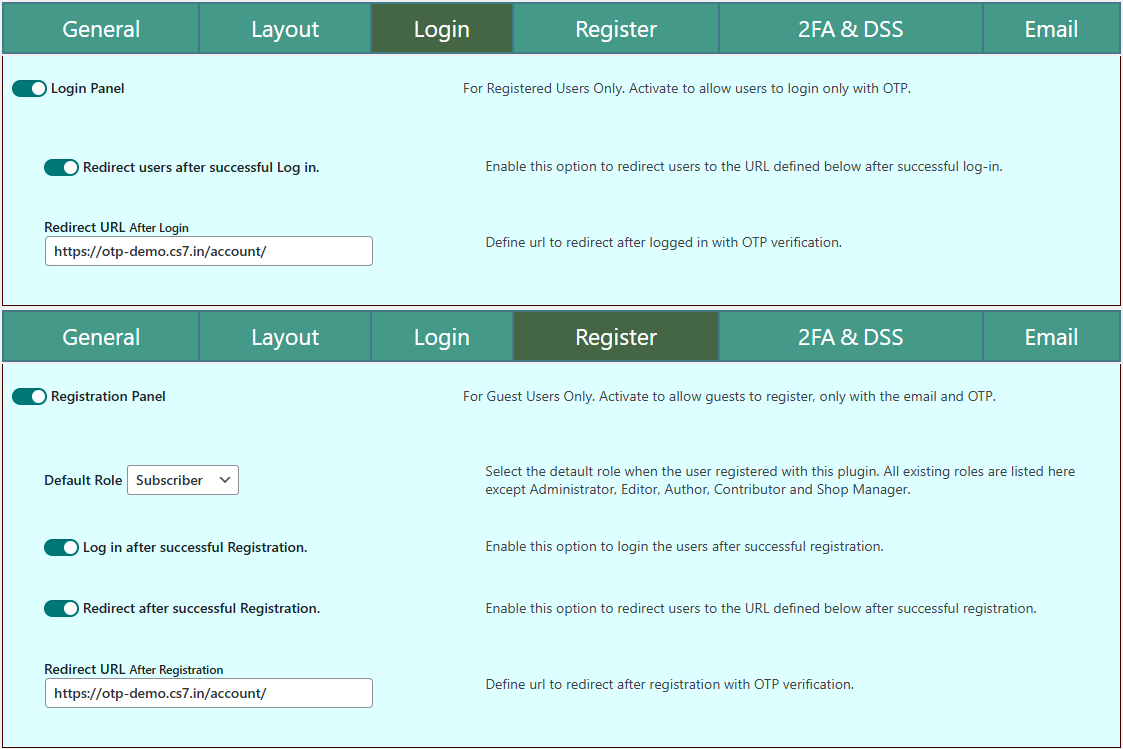
Explore the screenshots below, designed to be simple and beginner-friendly for non-technical admins.
For screenshots of advanced integrations, customization, and extended functionality —
visit the Plugin Showcase.
Testimonials
Read what users say about their experience with the plugin.

Presson (@pressonforlife)
6 July 2025
Responsive Support, Robustness, And Extensibility
The plugin is the most advanced of all the OTP plugins within the WordPress ecosystem.
The Author seems committed to the further enhancement and extending of the plugin.
I score the plugin high for Support, Robustness and extensibility.

user2726 (@user2726)
4 January 2025
Amazing plugin with outstanding support!
I had been searching for years for a plugin that simplifies the login process in the WooCommerce environment, and this plugin is exactly what I needed. It works perfectly and does exactly what it promises.
What makes the experience even better is the fantastic support. The team responds quickly, professionally, and truly thinks along with you. On top of that, you can tell they take feedback seriously: over the past few weeks, they’ve released frequent updates, showing their commitment to continuously improving the plugin.
Highly recommended for anyone who values user-friendliness and excellent service!

kayzworld (@kayzworld)
18 August 2023
This is the best OTP I have ever seen. For long, I looked for a simple and effective OTP plugin. I think I just found what I have been looking for. Thank you to the developer of this plugin.

jychuang8411 (@jychuang8411)
14 June 2025
Amazing plugin! Great developer support!
I purchased the Prime + Addon version of the plugin, and although I’m not a skilled coder, the experience has been outstanding. I ran into some issues, but the developer responded incredibly quickly and provided thorough support. The level of dedication—answering every single question patiently—far exceeded my expectations.
Thank you for creating such an amazing plugin! I’ll definitely support you again for any future websites and will gladly recommend this to all my developer friends.

hmarx (@hmarx)
21 March 2025
Great plugin, and excellent support!
I would like to give a big compliment to the plugin and the team behind it. The plugin does an excellent job when it comes to manage a passwordless login for memebership-based LMS platforms. The handling to implement the software is easy even if you are not an expert like me and if you are facing a problem the support team reacts immediately. The willingness to integrate new features or make improvements is surprisingly high in contrast to other companies who usually put you off and refer to the future. Really great! Thank you!

zlsfounder (@zlsfounder)
2 July 2023
Best and easiest plugin for fast login or verify an email without password.
Best and easiest plugin for fast login or verify an email without password. It is even more secure and friendly than the traditional process.
Pricing
Affordable One-Time Pricing with Lifetime Licenses.
Lite
FREE
- License Free
- Lifetime of Updates
- Basic admin controls
- OTP login
- OTP registration
- OTP send limits
- OTP expiry control
- Wrong attempt limit
- 2FA protection
- Email Verification
- Visitor Verification
- Session Verification
Business
$39 / Year
- Lifetime License
- 1 Year of Updates
- Advanced admin controls
- OTP login
- OTP registration
- OTP send limits
- OTP expiry control
- Wrong attempt limit
- 2FA protection
- Email Verification
- Visitor Verification
- Session Verification
Enterprise
$69 / Year
- Lifetime License
- 2 Years of Updates
- Complete admin controls
- OTP login
- OTP registration
- OTP send limits
- OTP expiry control
- Wrong attempt limit
- 2FA protection
- Email Verification
- Visitor Verification
- Session Verification
Frequently Asked Questions
Find answers to common questions about the plugin.
Will this slow down my website?
No.
Only required components are loaded.
Most package size comes from templates, images and supporting resources,
while actual runtime execution remains compact.
Can I continue to use the plugin for a lifetime even after the update period ends?
Yes.
Once purchased, the plugin will never expire or stop working, and you can use it for a lifetime.
However, after your update period ends, you will no longer receive new plugin updates unless you extend your license or purchase a new one.
Can I use one license on multiple websites or domains?
No.
One paid license can be used on one domain at a time.
If you have multiple websites on the same domain (such as subdomains), you can use the same license on all of them without any additional cost.
If you want to use the paid edition on a different domain, you will need to purchase a new license for that domain.
Can I get newer plugin versions after my update period ends?
Yes.
You can either extend your existing license or purchase a new license.
In both cases, the current market price of the plugin will apply at the time of purchase.
Can I use inline form instead of popup?
Yes, inline forms are supported from version 6.0.0 and above.
Can I add a login popup to my site menu?
Yes, just add the class "emailotpauthn-popup" to your menu item's parent element.
Does it support SMS or WhatsApp OTPs?
Currently, only email OTPs are supported — SMS/WhatsApp features are planned.
Can a guest user verify or register using OTP?
Yes, guests can register and verify their email from version 4.2.1.
Can I log in to the WordPress admin using OTP?
Absolutely. Admins can log in securely using an email OTP.
Can I process verification responses in my code?
Yes, you can handle popup responses using JavaScript, jQuery, or PHP hooks.
Can I use multiple inline forms or popups on one page?
Yes, this is supported from version 6.0.0 onwards.
Can I enable Two-Factor Authentication (2FA) for login or registration?
Yes, 2FA can be enabled for both login and registration to add an extra layer of security.
What happens if the 2FA verification fails?
If verification fails, the user will be redirected to the configured failure redirect URL.
Can I enforce 2FA when a new device is detected?
Yes, the Dynamic Session Lock (DSS) can enforce 2FA when a new device or browser session is detected.
What happens if a session becomes inactive?
The session will be locked after the configured inactivity period, and 2FA verification will be required.
Can the plugin log out all active sessions on suspicious activity?
Yes, DSS can automatically terminate all active sessions if verification fails or suspicious activity is detected.
Does the session lock affect all logged-in devices?
No, session lock applies only to the current session unless global logout is triggered.
Can I customize the 2FA verification page?
Yes, you can specify the page URL where the 2FA shortcode is placed for verification.
Is it possible to disable the session inactivity timeout?
Yes, the inactivity timeout can be disabled or customized from the plugin settings.
Is Dynamic Session Lock enabled by default?
No, DSS is optional and can be enabled or configured from the plugin settings.
Do you offer discounts for bulk license purchases?
Yes. Bulk purchases (10–50 licenses) are eligible for an additional discount ranging from 10% to 50%, depending on the quantity.
How can I request a bulk license discount?
Contact me through the contact form or send an email at Mr.Chandan.Shrivastava@gmail.com for bulk pricing.
Contact
Get in touch for feedback, queries, or assistance.
Address
Sindri, Dhanbad (JH), INDIA